Kicks
Table of Contents
About
This section will cover how to manually Kick a troublesome individual. These features will be automated by NinjAi when a user hits certain triggers in the NinjAi code - but sometimes an admin may want to perform any of these tasks manually.
Guides
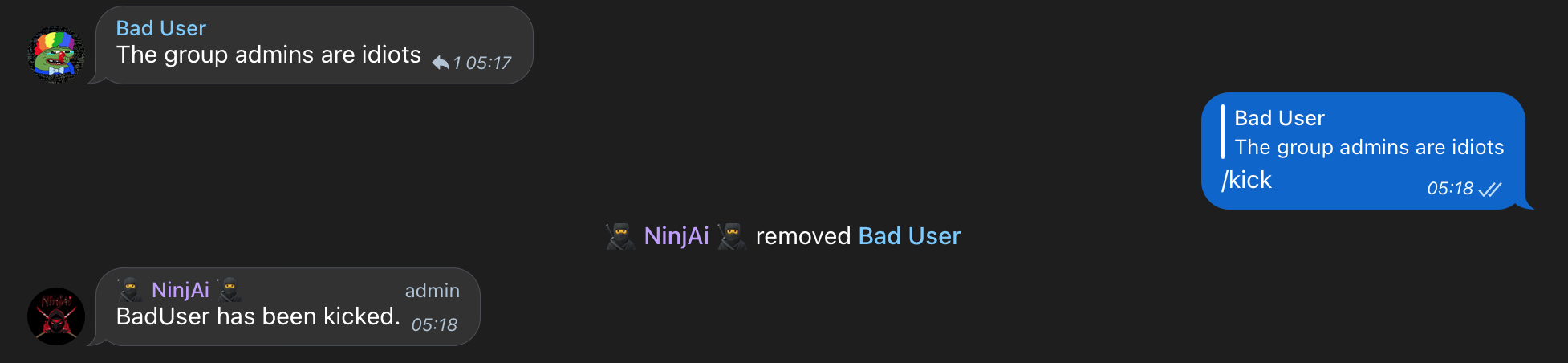
Reply to user kick
It doesn't get simpler than this.
Reply to a message with /kick and that user is kicked. They may rejoin the group at any time without restriction.
For a more permanent solution, you may want to consider banning them.
Tag username to kick
You can kick a user by typing /kick @username as follows

Reply to user to temp-kick
If you want to temporarily remove a user from the group, you can use the /temp-kick command by replying to a message with it. The user will be able to rejoin the group after a specified period of time.
Tag user to temp-kick
To temporarily remove a user from the group, you can tag them by typing "@username" and then use the /temp-kick command.